Project-Level Quotas
CMP manages quotas at account and project levels. Account-level quotas are the hard ceiling for a customer account. Project-level quotas let the account owner distribute that capacity across projects (teams or sub-users).
Default behaviour
When a new project is created, CMP sets its project quota to Unlimited by default.
Sub-users in that project can consume resources up to the full account-level limit until the account owner sets explicit project limits.
Unlimited project quota does not grant unlimited resources. The account-level quota is always the hard ceiling. Project quotas only control internal distribution within the account — they can never exceed the account total.
How project quotas work
Account Quota: 20 vCPU, 100 GB RAM  (hard ceiling)
        │
        ├── Project A — created with Unlimited (default)
        │       └── Can use up to full account quota until limited
        │
        ├── Project B — owner sets 8 vCPU, 40 GB RAM
        │       └── Sub-users limited to Project B quota
        │
        └── Project C — owner sets 12 vCPU, 60 GB RAM
                └── Combined project use cannot exceed account quota
Configuring project quotas
Only the account owner can change project-level quotas. Sub-users cannot modify them.
- Open the customer portal
- Go to Projects → select the project
- Open the project details page
- Update quota quantities as required
- Save
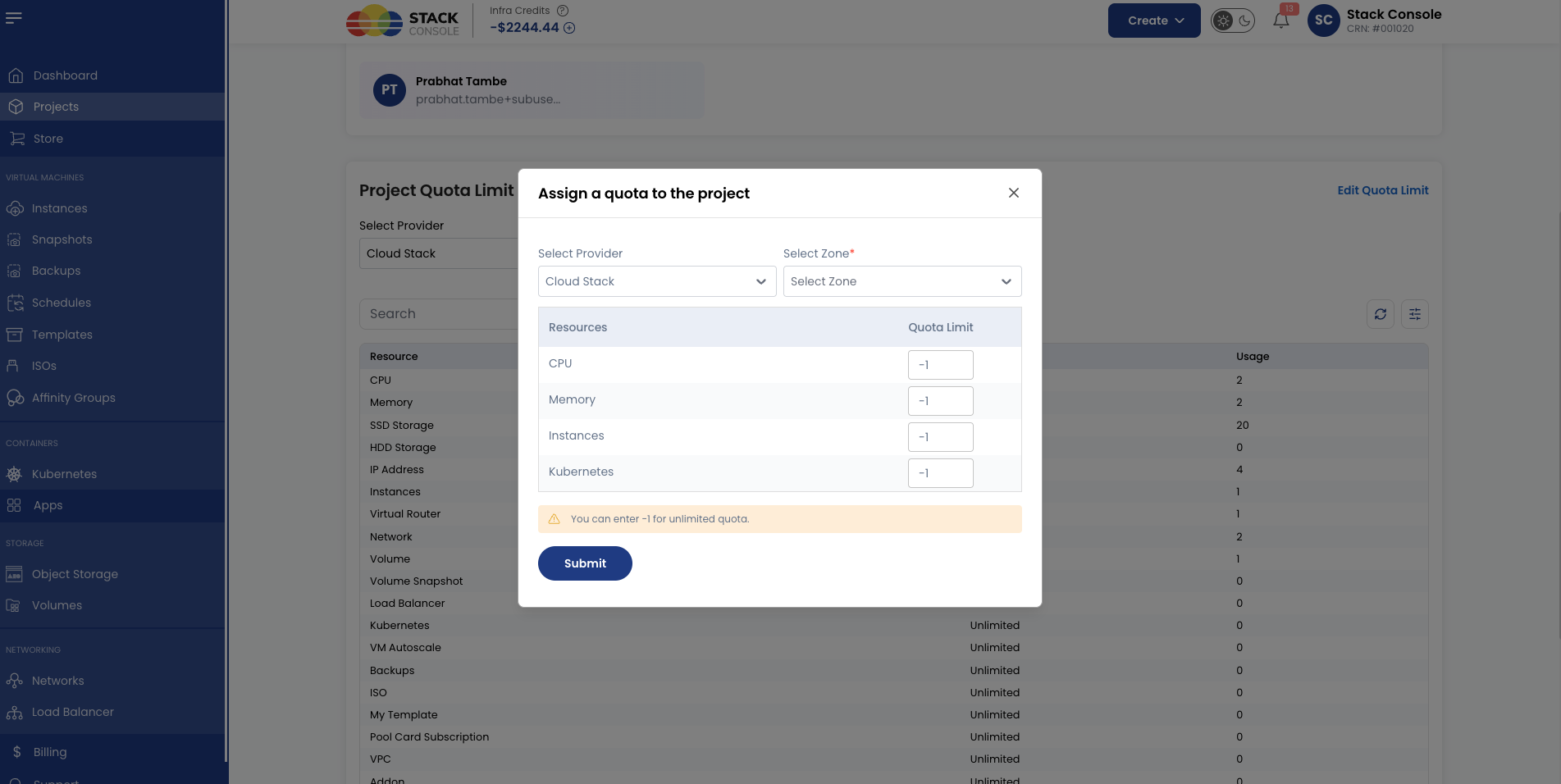
If the account does not need per-project caps, leave project quotas as Unlimited. Resources remain limited by account quota only.
Sub-user access
The account owner can:
- Create sub-users and assign them to specific projects
- Set project quotas to limit what each sub-user can provision
- Keep sub-users from consuming capacity allocated to other projects
When to use
| Scenario | Recommendation |
|---|---|
| Small team, no resource segregation | Leave project quotas as Unlimited (default) |
| Multiple teams sharing one account | Set explicit project quotas on the project details page |
| Controlled allocation for sub-users | Set project quotas after creating each project |