Custom Template Packages
Custom Template packages define how CMP bills customers for customer-owned templates (ACCOUNT_TEMPLATE) stored under the My Template service. This is separate from admin-prepared OS templates used for standard VM provisioning.
By default, customers create VMs from admin-configured templates prepared by the provider. Customer-created templates are a separate, optional capability — billing applies only when customers register and retain their own templates in CMP.
| Type | Who creates it | Billing |
|---|---|---|
| Admin OS templates | Provider — configured in Templates | No Custom Template package charge for using these at VM creation |
| Customer templates (My Template) | End customer — from VM, snapshot, or upload | Billed hourly per GB via the Custom Template Package |
Ensure the following are already configured:
- Cloud Provider Setup is connected, with My Template enabled in Wizard Step 1 (if customers should create their own templates)
- Zones are mapped in CMP
- Admin OS templates are configured for standard VM provisioning
- You understand hourly per-GB billing — custom templates use the same model as Volumes Snapshot
CMP path: Settings → Billing Setup → Rate Cards → Default → Packages → Template
Default customer behaviour
VM provisioning with admin templates
By default, end customers provision VMs using admin-prepared and configured templates registered in CMP. These are the OS images you configure under Settings → Orchestrator → Templates — see Configuring Templates in CMP.
No Custom Template package charge applies when a customer deploys a VM from a provider-managed template.
Customer template upload (disabled by default)
By default, CMP does not allow end customers to upload their own template images from local files.
To enable customer template uploads, set the following in Admin Panel → Global Settings:
| Setting | Default | Description |
|---|---|---|
template_upload_from_local | false | Enable or disable upload of template images from the customer's local machine |
Set template_upload_from_local to true only if you want customers to upload custom template files directly. Most providers keep this disabled and rely on template creation from existing VMs or snapshots instead.
Creating templates from snapshots
CloudStack supports creating templates from a root volume snapshot. Customers can:
- Take a snapshot of a VM's root volume
- Register a My Template from that snapshot in CMP
This workflow is required when customers need to use the VM Autoscale feature — autoscale groups need a customer-owned template derived from a known-good VM image.
See Snapshot & Backup — Restoring a volume snapshot for CloudStack's Create Template from Snapshot option (root disk only).
How custom template billing works
When a customer registers and retains a template under My Template, CMP:
- Tracks the template size in GB
- Applies the price per GB per hour from the Custom Template package for that zone
- Bills continuously on an hourly basis until the template is deleted
Billing formula
Custom template cost per hour = template size (GB) × price per GB per hour
Example: A 20 GB customer template at ₹1/GB/hour costs ₹20/hour for as long as the template is stored.
See Snapshot / Template / ISO pricing for the general formula.
Custom templates (ACCOUNT_TEMPLATE) always use hourly billing only. The package form shows Billing cycle and pricing for 1 GB with an Hourly (per GB) rate — monthly, quarterly, and yearly cycles are not supported. See Billing Cycles.
Why only hourly per-GB pricing?
Similar to Volumes Snapshot, customer template size varies by source VM, snapshot, or uploaded image. CMP cannot sell predefined fixed-size template packages, so billing is based on current template size × hourly rate per GB.
Free template allowance
CMP supports a configurable number of free customer templates through Global Settings.
In Admin Panel → Global Settings, locate the free_templates setting:
| Value | Behaviour |
|---|---|
false | Free templates disabled — all customer templates are billed per the Custom Template package |
Greater than 0 | That many customer templates are free per account — pricing is shown as 0 until the free allowance is used |
Set free_templates to false to disable free templates entirely.
Configure Custom Template packages in CMP
Create a Custom Template package for each Cloud Provider + Setup + Zone where you want to charge for customer-owned templates.
- Open Settings → Billing Setup → Rate Cards → Default → Packages → Template
- Click Add Package (form title: Create Custom Template Package)
- Complete each field below in the order shown on the form
- Set Status to Active and save
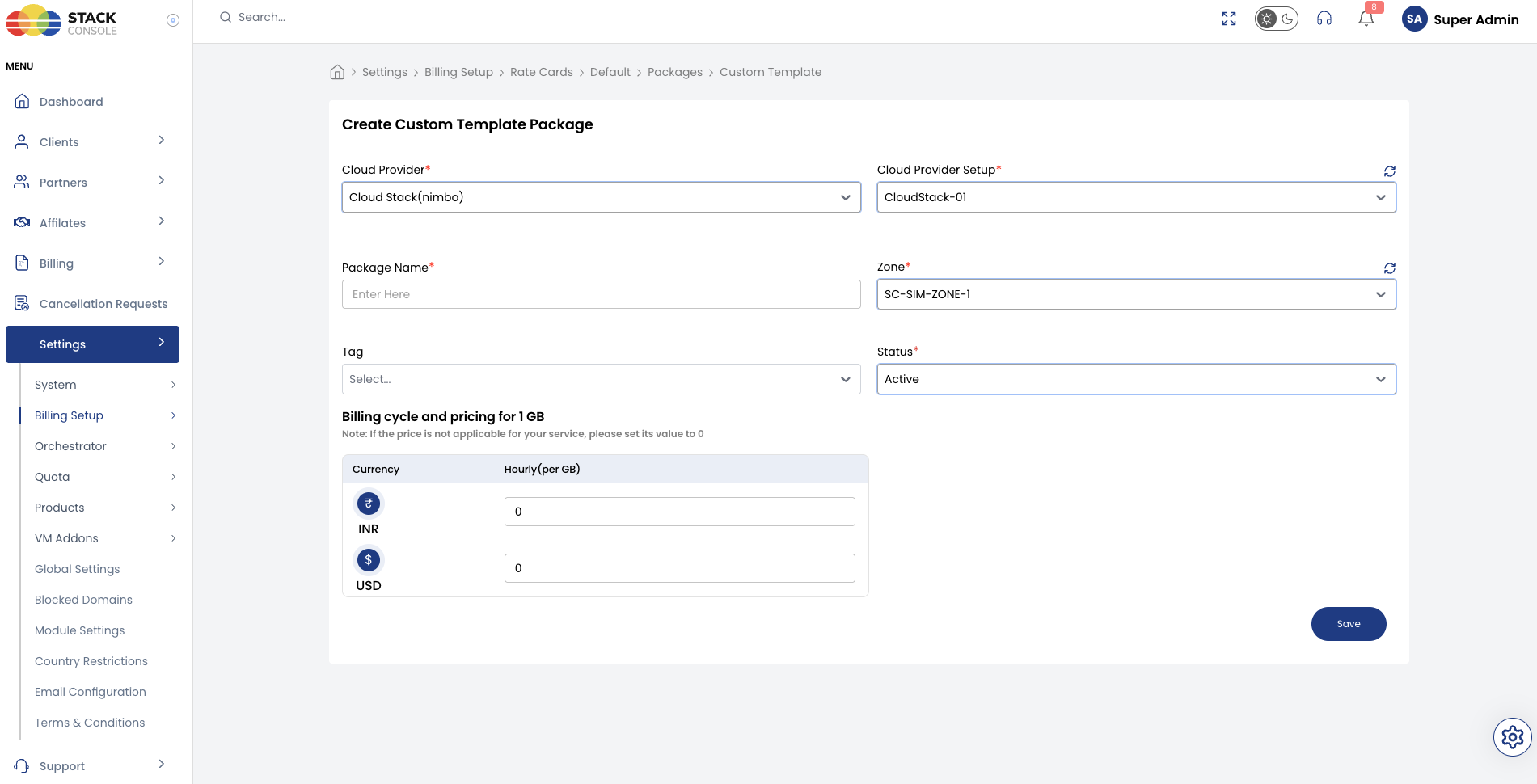
Each field below matches the Create Custom Template Package form.
Cloud Provider
Required. Select the orchestrator type — for example, CloudStack (Nimbo).
Cloud Provider Setup
Required. Select the CloudStack instance this package belongs to — for example, CloudStack-01.
Package Name
Required. Display name for the custom template service — for example, Custom Template or My Template Storage.
Zone
Required. Select the CMP zone where this template pricing applies — for example, SC-SIM-ZONE-1.
Tag
Optional. Assign a tag for filtering or promotional labelling in the customer portal.
Tags are CMP-level labels used for representation only. They do not map to CloudStack template tags.
Status
Required. Controls package visibility.
| Status | Behaviour |
|---|---|
| Active | Template pricing applies when customers register templates under My Template in this zone |
| Inactive | Hidden — use while configuring pricing or testing |
Billing cycle and pricing for 1 GB
Required. Enter the Hourly (per GB) rate for each currency CMP supports.
CMP multiplies this rate by the customer's template size to calculate the hourly charge. Only the hourly per-GB cycle is available — no monthly or yearly option.
If a price is not applicable for your service, set its value to 0.
End-to-end example
Goal: Charge for customer templates in zone SC-SIM-ZONE-1 at ₹1/GB/hour, with 1 free template per account, and allow template creation from snapshots for autoscale.
CMP global settings
- Set
free_templatesto1in Admin Panel → Global Settings - Keep
template_upload_from_localasfalse(snapshot-based template creation only)
CloudStack
- Confirm
kvm.snapshot.enabled = trueif customers create templates from root volume snapshots on KVM - Enable My Template in Cloud Provider Setup (Wizard Step 1)
CMP package
- Open Packages → Template → Add Package
- Set Cloud Provider CloudStack (Nimbo), Cloud Provider Setup
CloudStack-01, Package NameCustom Template, ZoneSC-SIM-ZONE-1 - Enter Hourly (per GB) — for example,
₹1.00INR - Set Status to Active and save
A customer with a 30 GB template is charged 30 × 1 = ₹30/hour after their free template allowance is used.
Customer portal view
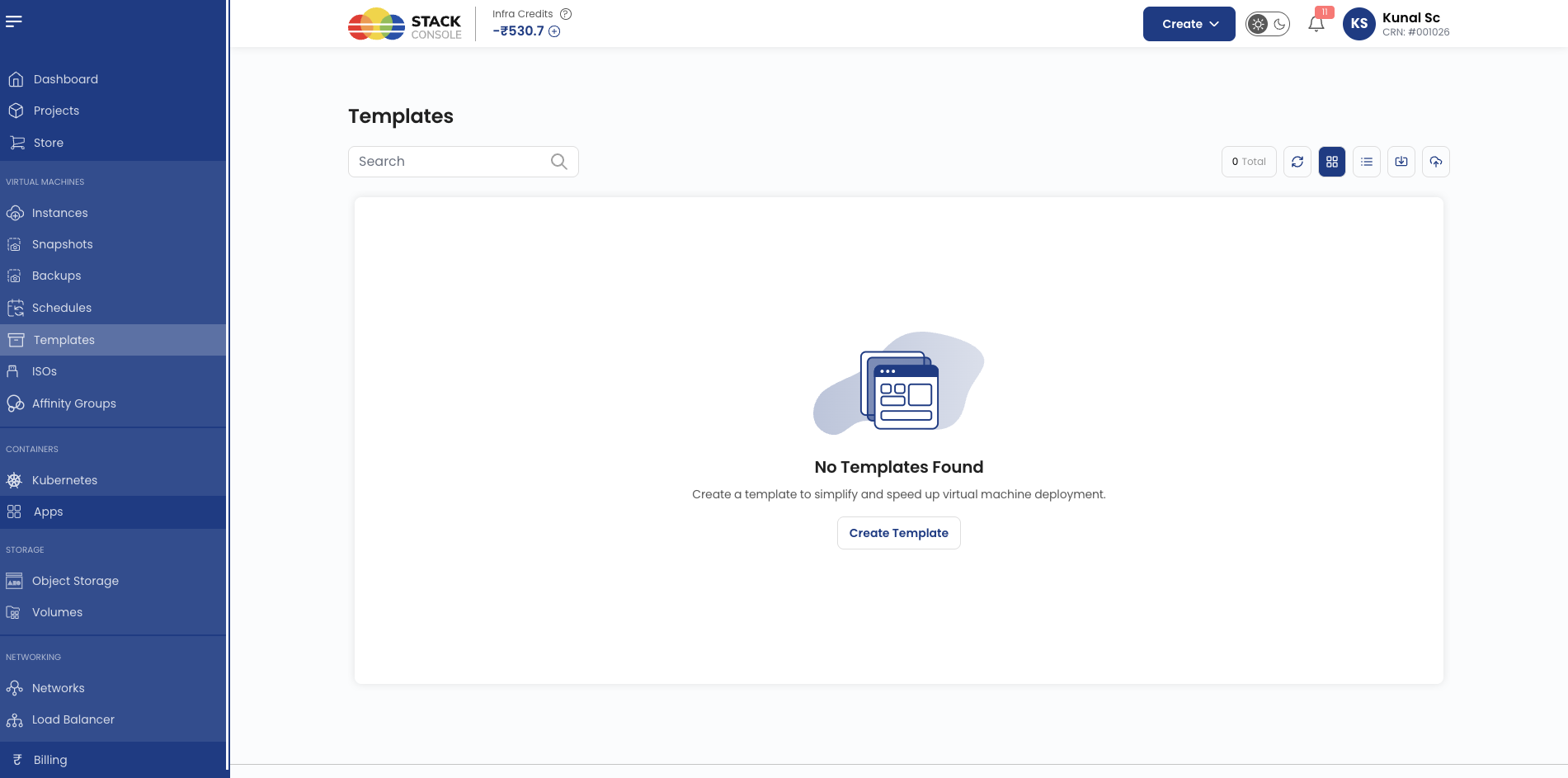
Customers manage custom templates under Template in the CMP portal. Typical workflows:
| Workflow | Description |
|---|---|
| Create from VM | Register a template from an existing stopped VM instance |
| Create from snapshot | Register a template from a root volume snapshot — required for VM Autoscale |
| Upload from local | Upload a template image file — only available when template_upload_from_local is true |
Pricing is displayed based on template size and the zone's per-GB hourly rate. When free_templates is greater than 0, the first N templates show $0.00 pricing until the allowance is consumed.
Validation checklist
Before marking a Custom Template package Active, verify:
- My Template service is enabled in Cloud Provider Setup (Wizard Step 1) if customers should create templates
template_upload_from_localreflects your intended upload policyfree_templatesglobal setting reflects your intended free template policy- Hourly (per GB) pricing is set for each supported currency
- Admin OS templates are configured separately for standard VM provisioning
- Global quotas allow sufficient My Template count per account
Related
- CloudStack Packages
- Configuring Templates in CMP — admin OS templates for VM provisioning
- Preparing CMP-Compatible Templates
- Volumes Snapshot
- VM Autoscale
- Connecting CMP to CloudStack
- Billing Cycles
- Pricing Formulas