Settings & preferences
How do we change the default date-time format for the application and for an account?
Application-level
Path: Admin → Global Settings → default_date_time_format
- Applies to newly created accounts
- Existing accounts keep their current format
Account-level
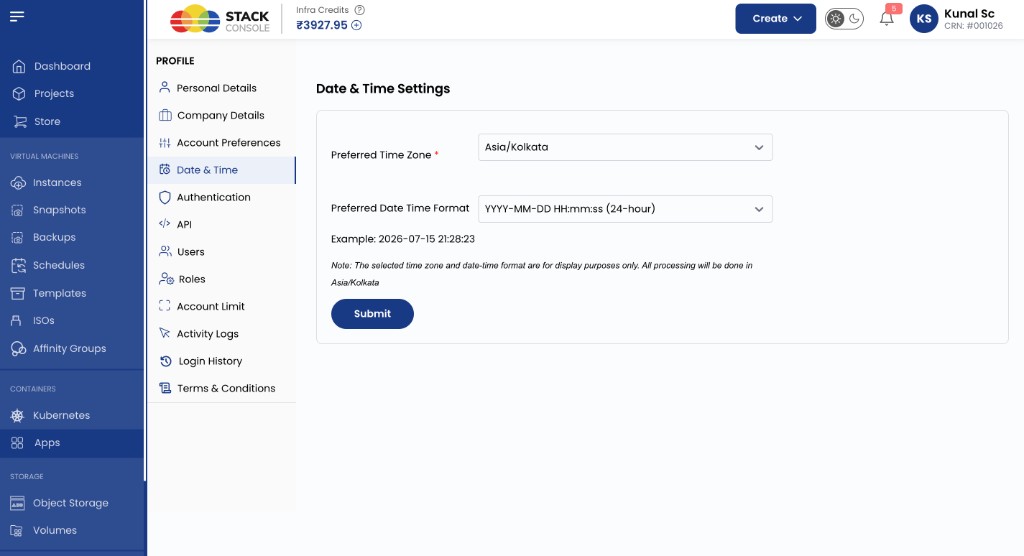
Users configure display preferences under Profile → Date & Time.
Path: Profile menu → Date & Time
| Field | Purpose |
|---|---|
| Preferred Time Zone | Display time zone for the account UI |
| Preferred Date Time Format | How dates and times appear (for example YYYY-MM-DD HH:mm:ss (24-hour)) |
A live Format Example shows the current selection. Time zone and format are for display only — processing stays on the platform time zone shown in the note on the page.
- Account-level settings override the application default when configured
img/screenshots/cmp-profile-date-time-settings.png